Standalone, ad-free, high-performance IPTV player for Android TV, Google TV, Samsung Smart TV, and mobile devices. Full D-Pad remote navigation and International Live Sports Match Center.
Engineered from scratch for TV remote ergonomics, inspired by the high standards of PremierPlayer and Smarters Pro architectures.
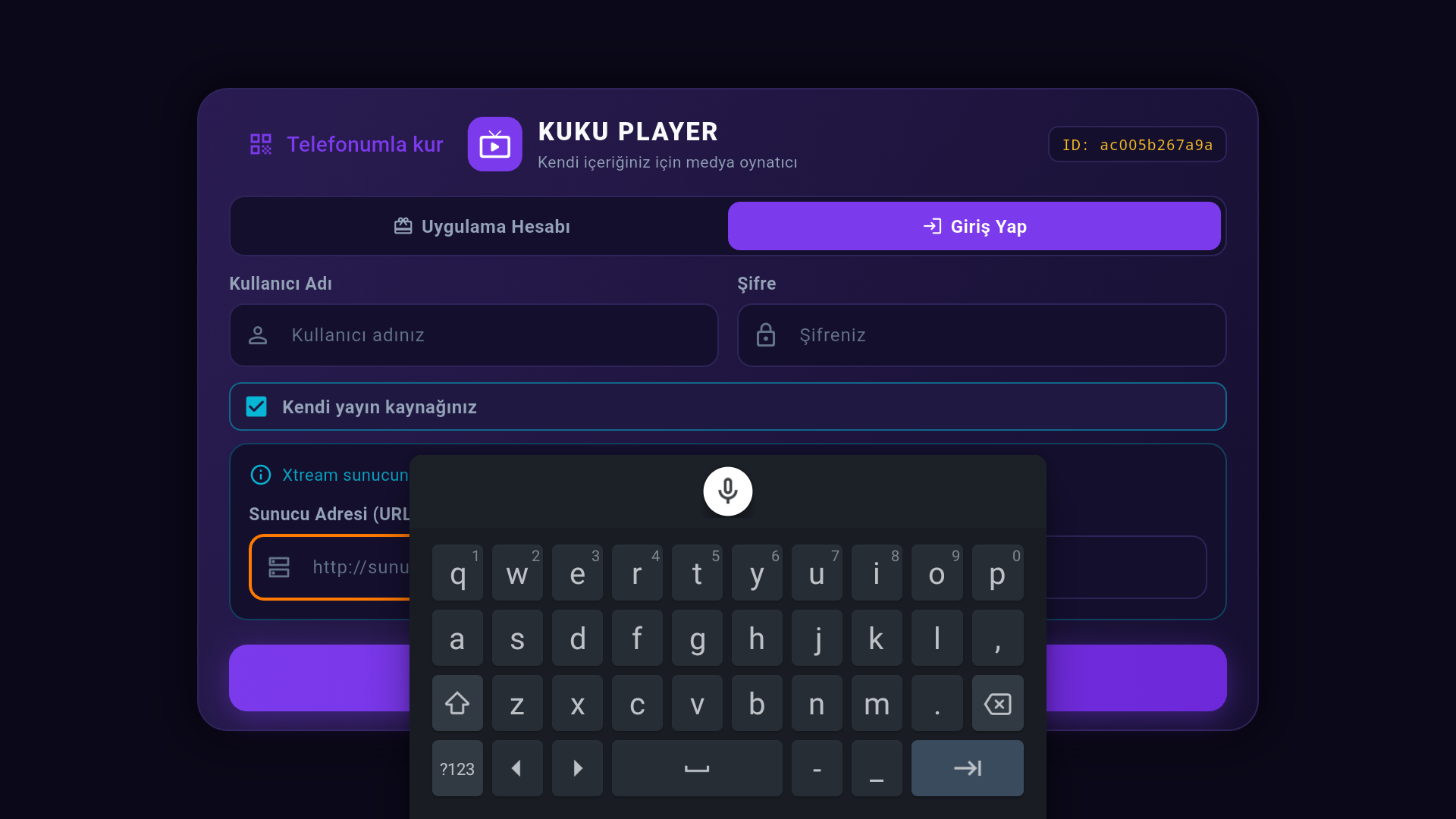
Every card and button navigates smoothly using directional remote buttons (Up/Down/Left/Right/OK). Features signature amber glow (#FF7A00) focus and on-screen keyboard.
Category filters, instant channel search, mini-player preview, and detailed electronic programming guide (Now Playing & Up Next) with one-click fullscreen.
Real-time fixtures and live scores for UEFA Champions League, Premier League, La Liga, and World Cups. Hit "Watch" to instantly jump to the broadcasting channel.
Eliminate tedious remote typing. Simply scan the on-screen QR code with your phone; credentials transfer securely via ECDH P-256 + AES-GCM encryption.
Switch between HLS (.m3u8) or MPEG-TS (.ts) streaming protocols. Save multiple provider profiles and switch effortlessly with a single tap.
KUKU does not sell streams, does not offer subscriptions, and never stores your playlist credentials on servers. It is a strictly independent media player.
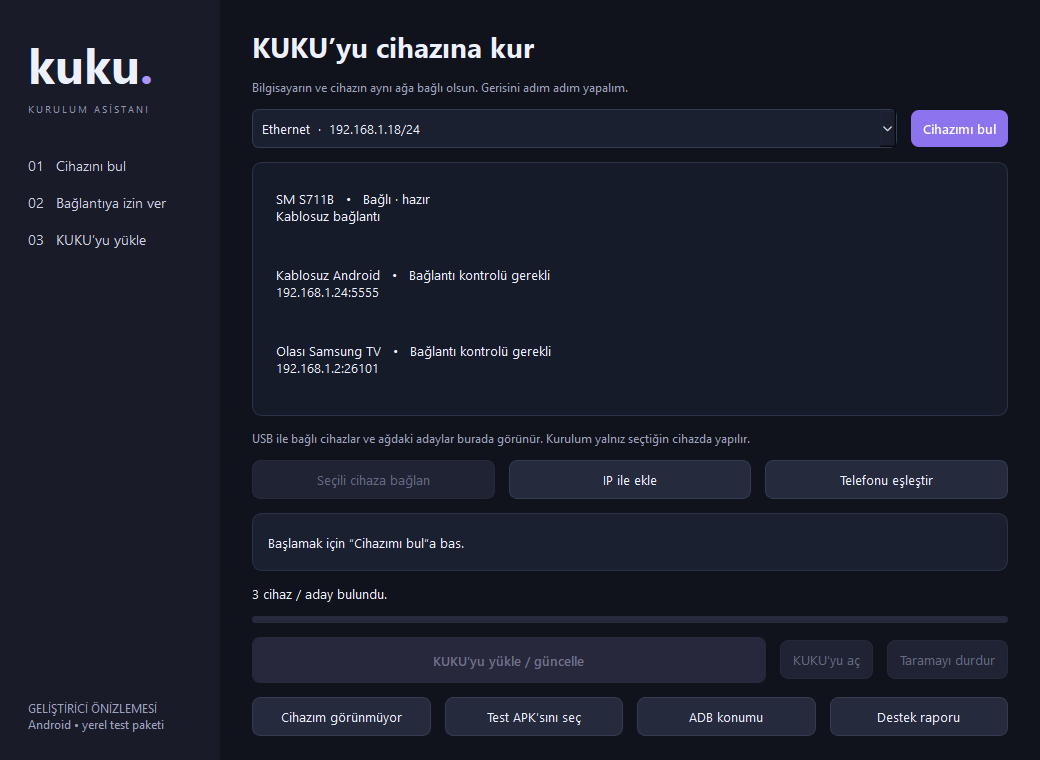
Designed for seamless interaction with Android TV remotes and fast desktop network installation.
Integrated on-screen virtual keyboard designed for directional remote controls, alongside fast "Set up with phone" QR authentication.
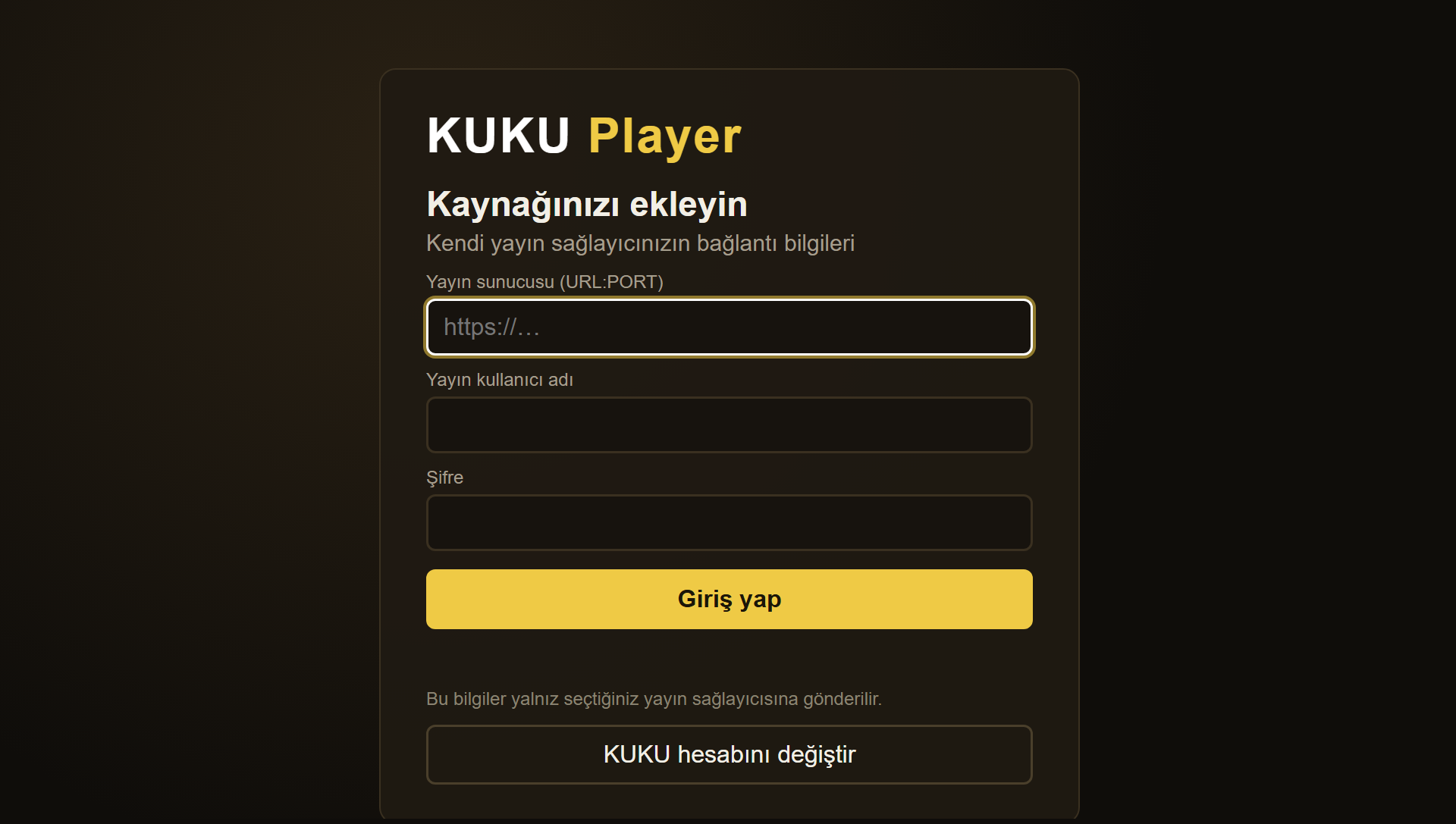
Enter Xtream server URL, username, and password directly with the remote or transfer them encrypted from your phone in seconds.
No ADB or complex drivers needed. Automatically discovers Android TV and Samsung Tizen devices on your local network and installs the APK safely.
No complex configurations. Get up and running in minutes with smart installation and QR pairing.
Install the APK on your Android TV or phone, or use the Windows Setup Assistant to deploy wirelessly across your home network.
Launch the app and enter the 6-digit WhatsApp OTP verification code sent to your phone to activate 168 hours of full access.
Scan the TV QR code with your smartphone; transfer your Xtream Codes or M3U playlist securely and encrypted straight to your TV.
The latest stable release packages for all supported platforms.
Universal package for Android TV, TV Box, Google TV, and Android 7.0+ smartphones and tablets.
No ADB, Java, or manual drivers required. Automatically finds TVs on your network and installs with one click.
Flutter-Tizen (TPK) for modern 2021+ Samsung TVs, and native AVPlay (WGT) web package for 2016-2020 models.
Just like VLC Media Player or Kodi, KUKU Player is a neutral software client designed exclusively for TV playback ergonomics. Understanding our clear boundaries is essential.
Clear operational boundaries to protect our users and guarantee legal compliance.
Core technical features developed strictly for remote comfort, speed, and privacy.
KUKU Player operates as a neutral software application in compliance with international copyright and intellectual property standards. By downloading or using this application, users acknowledge and agree that they are solely responsible for ensuring that their media sources and playlists comply with applicable laws in their respective jurisdictions.
All product names, logos, brands, and registered trademarks displayed on this site or within the application are property of their respective owners. Their mention does not imply endorsement or affiliation.
Common questions regarding KUKU Player features, licensing, and security.
No. KUKU Player is strictly a standalone multimedia playback software. It does not sell, host, or bundle any television broadcasts, channels, or IPTV subscriptions. Users must provide their own playlists or legally accessible stream credentials.
Upon initial launch, enter your name and WhatsApp phone number. Entering the 6-digit verification code unlocks 7 days (168 hours) of unrestricted software access. No credit card, no recurring commitments, and no auto-renewal.
The easiest method is using the KUKU Windows Setup Assistant from your PC to discover and install directly over your Wi-Fi network. Alternatively, you can download the APK directly onto your Android TV using the Downloader app.
Yes, absolutely. By architecture, your IPTV server address, username, and password are never sent to KUKU servers. When pairing from your phone via QR code, credentials are transferred directly peer-to-peer using ECDH P-256 and AES-GCM encryption.
You can redeem your VIP-XXXX-XXXX-XXXX activation code on our website via the "Activation Code" page by verifying your phone, or enter it directly within the Settings menu inside the KUKU Player TV app.